
Walk-in customer
Scan, tap or search
Scan a barcode with the phone's camera or a scanner, tap a product photo, or search by name. Sales are recorded without internet.
Counter sales, credit customers, shifts and stock — for a general store, a garment, shoe or hardware shop, or a butcher.
Android in Pakistan · Free for 12 months for early birds
Every credit sale adds a line to the register, and the line may or may not be added up right.
Which shift sold the last carton, and what was a returned shirt actually sold for? Nobody can check.
And closing time becomes counting time.
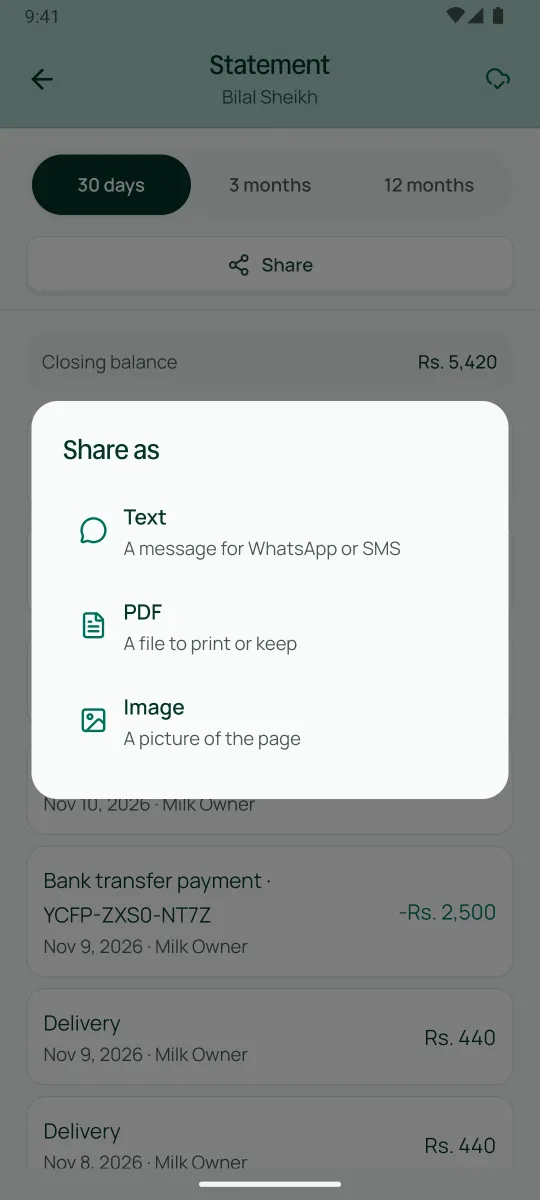
The phone shows Sehal's real screens with example data. Here is why each step matters.
9:00 am
The week's sales and money in, what customers owe and what your stock is worth.
10:00 am
Search or scan, and tap what the customer is buying. The total adds up as you go.
10:02 am
Type what the customer hands you and Sehal shows the change.
12:00 pm
A customer pays part now, and the rest goes on their account in the same sale.
12:01 pm
The receipt goes on WhatsApp with what was paid and what is still owed.
3:00 pm
A regular customer pays some of what they owe. Record it and the balance drops; a mistake can be undone.
5:00 pm
See which items are running low, so you reorder in time.
6:00 pm
Record the supplier's bill: your stock goes up, and so does what you owe them.
6:10 pm
Every supplier with what you owe and when you last bought.
10:00 pm
Sales, profit, how customers paid and what should be in the drawer, worked out for you.
Scan a barcode with the phone's camera or a scanner, tap a product photo, or search by name. Sales are recorded without internet.
Point the camera and Sehal suggests the matching products, or print a Sehal label for the item.
Each variant has its own price and barcode, and anything can be sold by weight.
A walk-in pays on the spot, part cash and part JazzCash if they like. A regular buys onto their account at their own prices.
A cashier opens a shift by counting the float and closes it by counting the drawer. A short or extra amount is flagged to you.
A return names the original sale and refunds what was actually paid. Nothing comes back that was never sold.
An example business, not a Sehal customer
Groceries, household goods and a few ready-made clothes. There are walk-ins all day, and about 120 regular families buy on credit and settle at month end. Two counter staff work shifts, each with their own login and their own drawer count. The owner sets how much discount each cashier may give: beyond it the sale goes through, but it is flagged. Only the owner or a manager changes a price or cancels a sale.
Sign up on this site — six details. Choose your kind of shop.
Install Sehal from Google Play straight away.
We call you to get to know your shop before we open your account.
Your PIN comes on WhatsApp. Sign in and choose your own PIN.
Add your products with prices and barcodes, or print Sehal labels for them.
Add your credit customers with what they owe today, and invite your cashiers from the Team screen.
No. The phone's camera reads barcodes. A scanner works too, and you print Sehal labels only for items that have no barcode.
Keep selling. Sales are recorded without internet, and Sehal sends them when you're back online. Closing a shift needs internet.
No. With the stock extra, every sale and return moves your stock. Selling more than the stock shows still goes through, flagged to you, so the counter is never blocked.
No. Only owners and managers cancel a sale, on the same day and with a reason.
Businesses that join while the early-bird offer runs use Sehal free for 12 months — for a limited time. After the offer, it is free for 14 days after your business is approved. Prices are published before anyone is billed.
Sign up today. Someone from Sehal calls you before we open your account.
Get early access