
Hamza Qureshi0399-5012345
Your price list, every time
Set your items against your services once — wash, dry clean, press. An order is then a few taps, by the piece or by the kilo.
Orders priced from your own list, every bundle's step, and every customer's account — in Urdu or English.
Android in Pakistan · Free for 12 months for early birds
"3 shirts, 1 suit, 2 shalwar", totalled on a calculator. Express gets a red mark, if someone remembers.
The customer has lost the slip, and a stain they say wasn't there before turns into an argument.
A regular's month of orders means going through a stack of slips.
The phone shows Sehal's real screens with example data. Here is why each step matters.
9:00 am
The week's money, what customers will pay you and what is in progress, before the first customer walks in.
9:30 am
Add the items at your own prices and the total adds up as you go, with the delivery date on the order.
11:00 am
Every order in one list with its step: received, being washed, ready.
1:00 pm
When an order is done, move it to Ready, and everyone at the counter sees the same thing.
1:05 pm
Sehal writes the ready message; you send it from your own WhatsApp, with no typing.
4:00 pm
The customer pays as they collect, and the order's account closes. A mistake can be undone at once.
4:02 pm
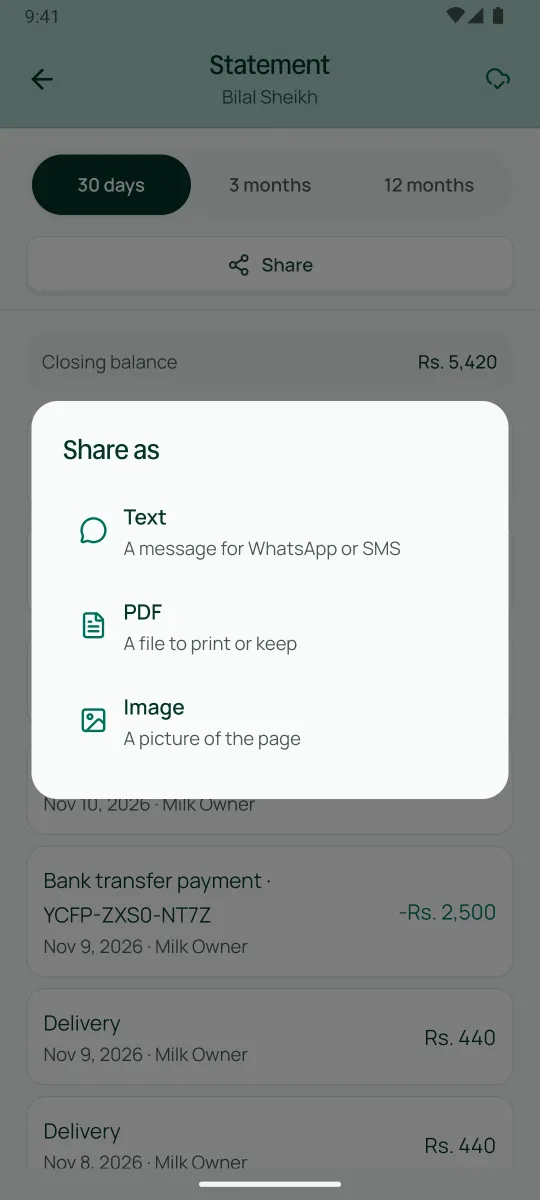
Share the receipt as a message, a PDF or a picture.
6:00 pm
Each worker's pieces are added up into what they earned, and the wage is paid from the same screen.
7:00 pm
See how much cash each person is holding until it is handed over.
8:00 pm
Every payment of the day in one list, newest first.
Set your items against your services once — wash, dry clean, press. An order is then a few taps, by the piece or by the kilo.
Add them when they apply, so the total is right at every counter.
Photograph a stain or a torn button before the clothes go in, so both of you can see how they came in.
The counter sees what is still in the wash, and what is ready to go.
A hostel or a salon gets its own prices, and its month of orders adds up on its account.
Send it on WhatsApp from your phone, or send a link with a QR on the receipt so the customer can check for themselves.
An example business, not a Sehal customer
The owner, two counter staff across two shifts and four karigars. About 25 orders come in on a weekday. A nearby hostel sends its bedsheets every week at its own rate. Each counter staff member has their own login on their own phone, with the Counter staff role. The karigars' earnings are written when an order is delivered, and the owner pays wages from the same screen. When the month ends, the hostel's statement is already added up.
Sign up on this site — six details.
Install Sehal from Google Play straight away and try the laundry demo with example orders.
We call you to get to know your laundry before we open your account.
Your PIN comes on WhatsApp. Sign in and choose your own PIN.
Set up your price list, then add your regulars with what each one owes today.
Invite your counter staff from the Team screen. Two staff logins are included.
Yes. Charge by the piece or by the kilo, from the price list you set up once. Express and delivery charges can be added to an order.
Record orders and payments without internet. Sehal sends them when you're back online. Photos, status links and the wage screens need internet.
Yes, with the pickup-and-delivery extra, which you turn on for your business. Schedule a pickup, give it to someone on your team, and follow it until it is out for delivery.
You're told. Staff see only what you allow, and Sehal tells you when someone changes an amount or undoes a payment.
Businesses that join while the early-bird offer runs use Sehal free for 12 months — for a limited time. After the offer, it is free for 14 days after your business is approved. Prices are published before anyone is billed.
Sign up today. Someone from Sehal calls you before we open your account.
Get early access